Know where the money went, even when you’re not at the hotel
After every Night audit, BedKeys checks the day for money that could go missing. In the morning you see what looked unusual, who did it, and the record behind it.
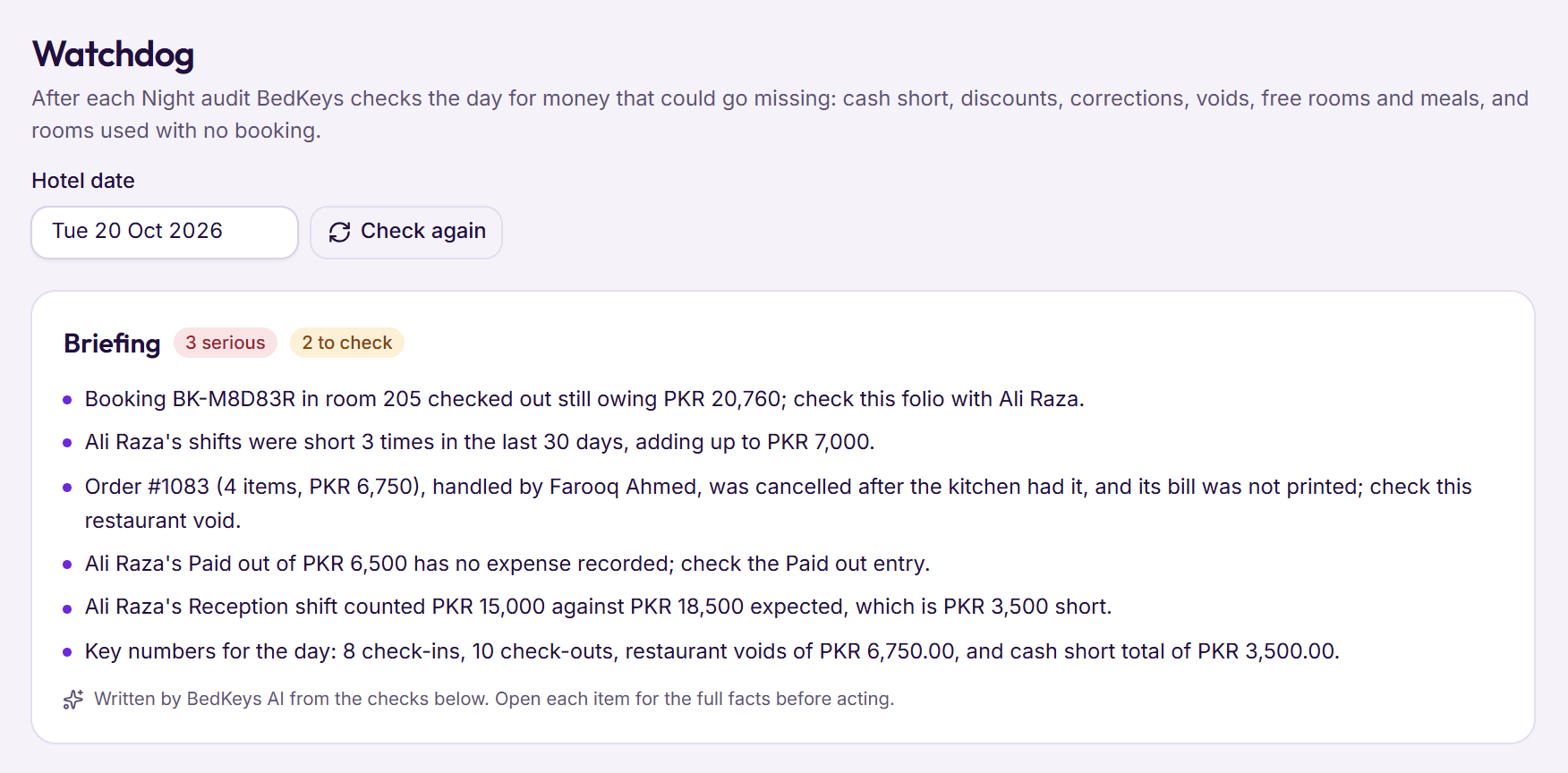
It accuses nobody. Each finding says what the record shows and opens the record itself, so you have the facts before you ask.
Step 1: The checks run when the day closes
When the Night audit closes the day, BedKeys checks it on its own: cash shifts, Paid outs, refunds, discounts, corrections, restaurant voids, House Use, check‑outs and rooms. Nobody has to press anything.
- Each finding names the staff member, the amount and the time
- Serious, To check or For your information
- Any past date can be checked again
Step 2: Read the briefing over breakfast
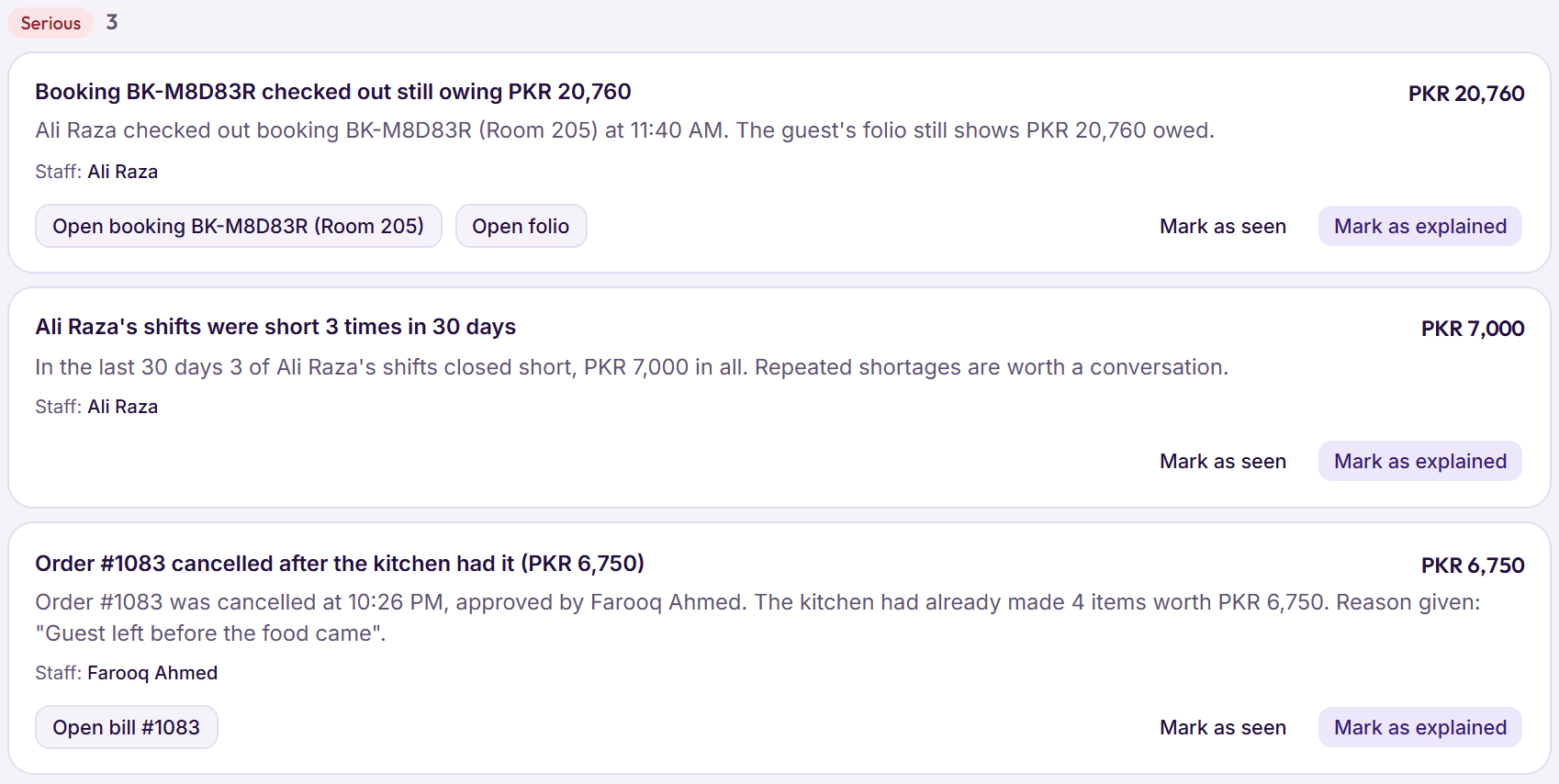
BedKeys AI writes a few short lines from the checks, the most serious first. Every figure in it comes from the findings; a line with any other figure is left out.
- On your phone, wherever you are
- Off until the owner turns it on
- Guest names, phone numbers and CNIC never reach the AI
Step 3: Open the record, then mark it
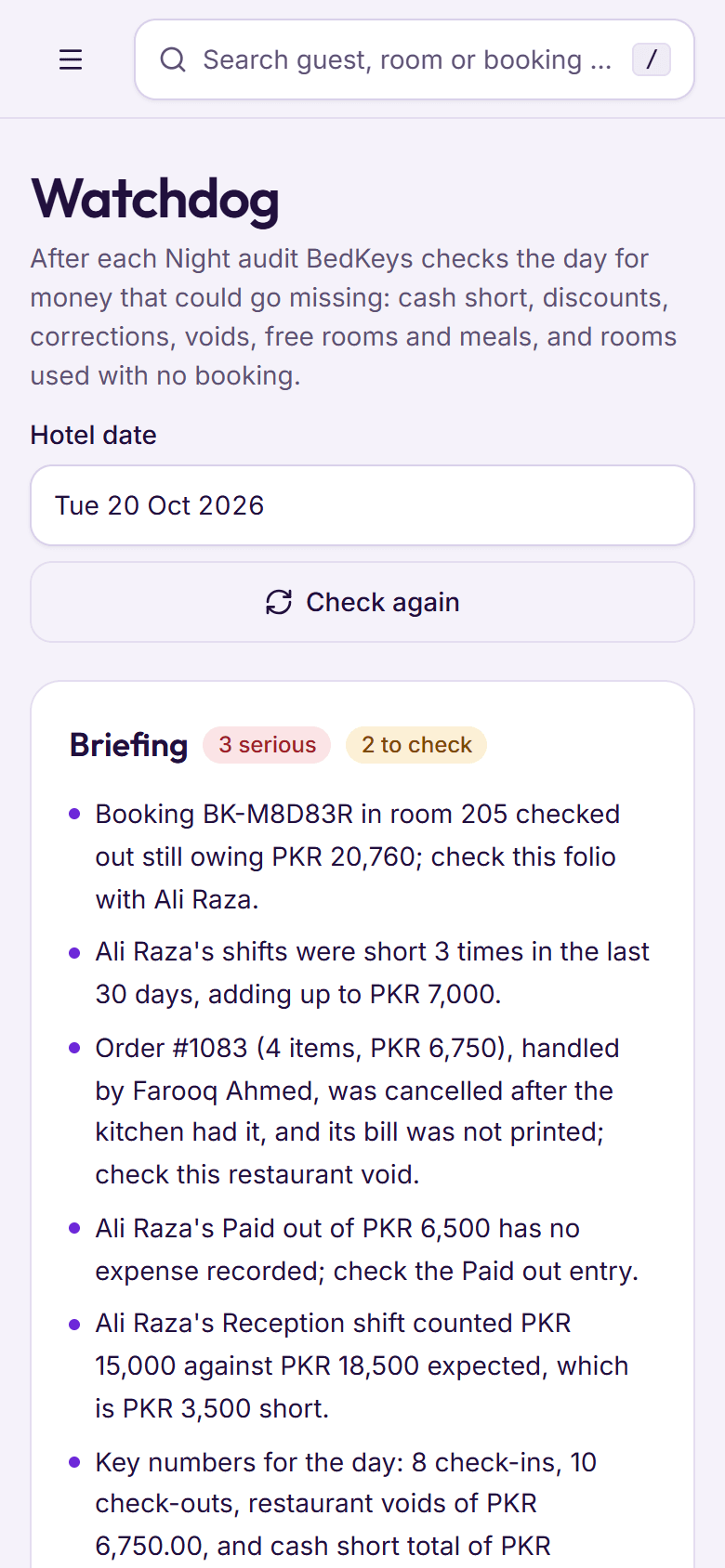
Each finding opens the booking, folio, restaurant bill or cash shift it is about. Once you know what happened, mark it Seen, or Explained with a note for the record.
- Only the owner marks findings
- Every mark and note is kept in the history

Step 4: See the pattern, not just the day
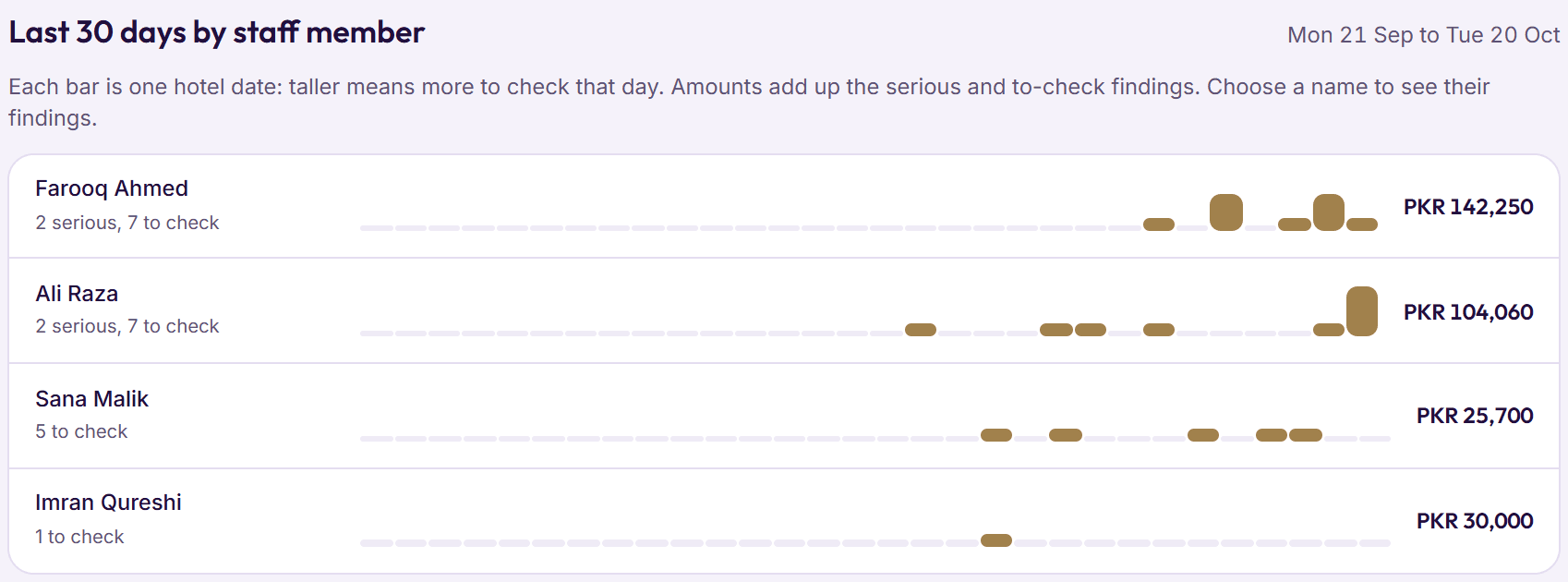
Thirty days by staff member, one bar per hotel date. BedKeys also flags one person’s discounts, corrections or voids running far above the rest of the team, or growing week on week.
- Three or more short shifts in 30 days are serious
- Choose a name to see only their findings
Step 5: Set when each check speaks up
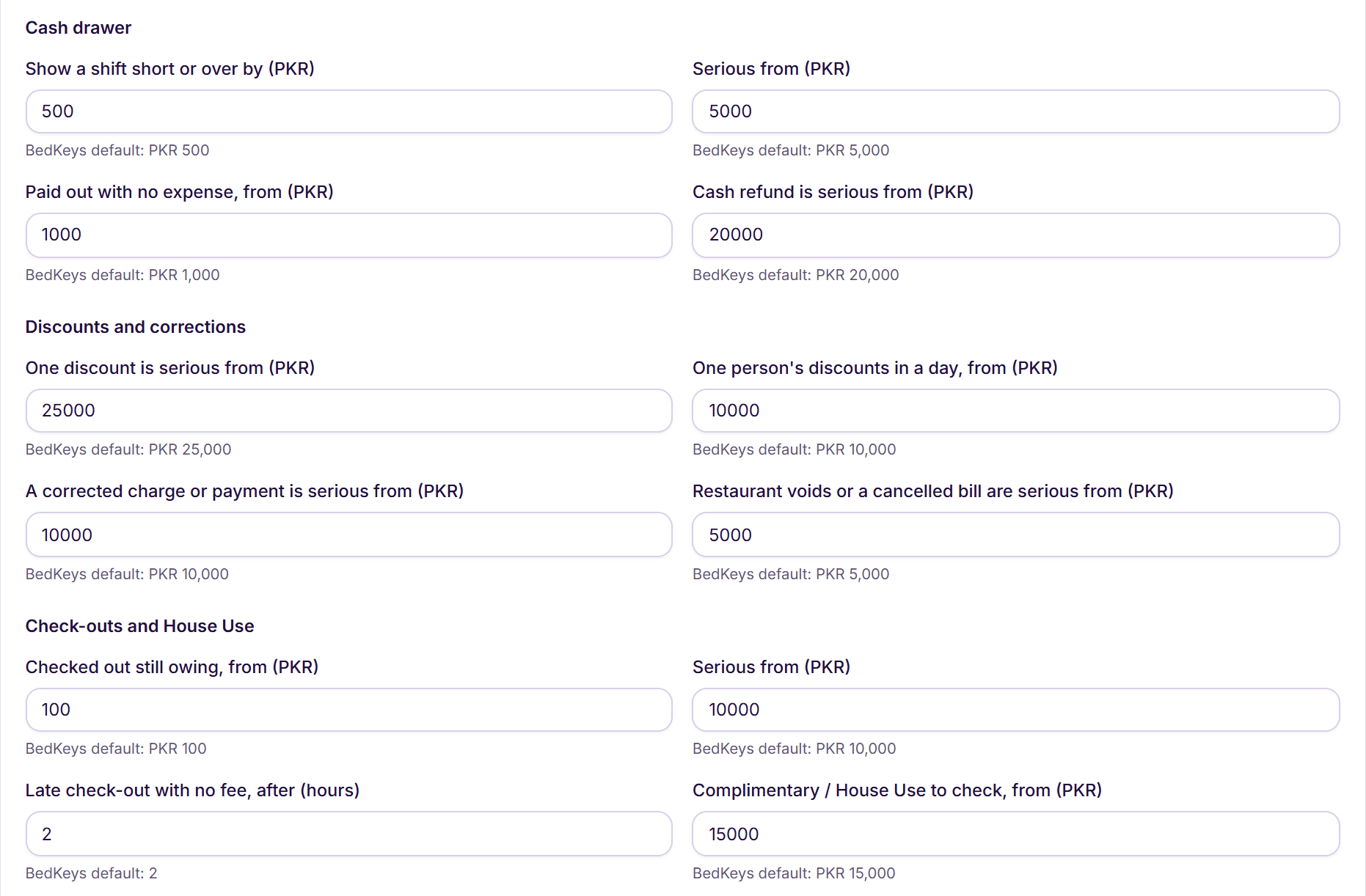
Every check has an amount you can change, such as how short a shift must be before it shows, with BedKeys’ default beside it.
- Amounts in your hotel’s currency
- Night hours for after‑hours changes
Cash shifts
A shift closed short or over, and three or more short shifts in 30 days.
Paid outs and refunds
Cash taken out of the drawer with no expense recorded, and every cash refund.
Discounts
One large discount, one person’s discounts in a day, and a manager approving their own above the PIN limit.
Corrections
Charges and payments corrected, and fees taken off: late check‑out, cancellation, Did not arrive.
Restaurant
Orders cancelled or dishes voided after the kitchen had them, and printed bills opened again or paid less.
Free meals and rooms
Complimentary and House Use meals and nights, valued at menu and room prices.
Check‑outs
Guests who left still owing, and late check‑outs with no fee.
Rooms
A room used with no booking, and a clean, empty room found dirty.
Sign‑ins and PINs
Locked sign‑ins, wrong manager PINs, and money changes made in the middle of the night.
Patterns
One person far above the team’s usual over 30 days, or the last week twice the weeks before.
Something else on your mind? See every question, or book a demo and ask us directly.
Does the Watchdog accuse my staff?
No. A finding says what the record shows and who did it, and opens the record. A shift can be short because of a miscount; you decide, and can mark it Explained with a note.
Who can see it?
Anyone whose role sees Reports can read the Watchdog. Only the owner can mark findings Seen or Explained.
Is it included in my plan?
Yes. The checks come with BedKeys Core and BedKeys Direct. The written briefing is part of the BedKeys AI add‑on. See pricing
Can I change what counts as unusual?
Yes. Settings › Owner’s Watchdog has the amount for each check, such as how short a shift must be, with BedKeys’ default beside it.