From the booking to the bill, without leaving the desk
Today’s arrivals, the room grid and every guest’s folio, one panel away. Check guests in with their ID, move them, and settle up, with the price shown before anything is saved.
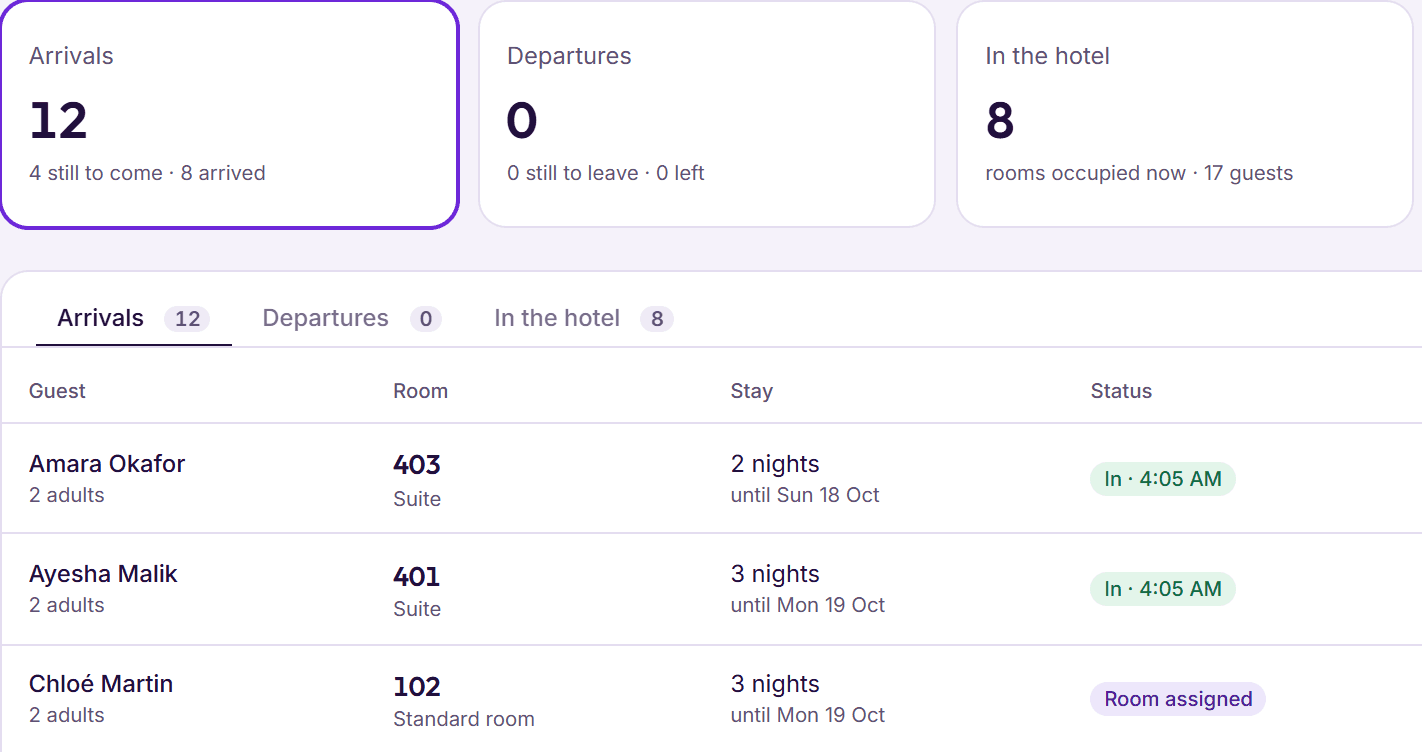
Step 1: Take the booking
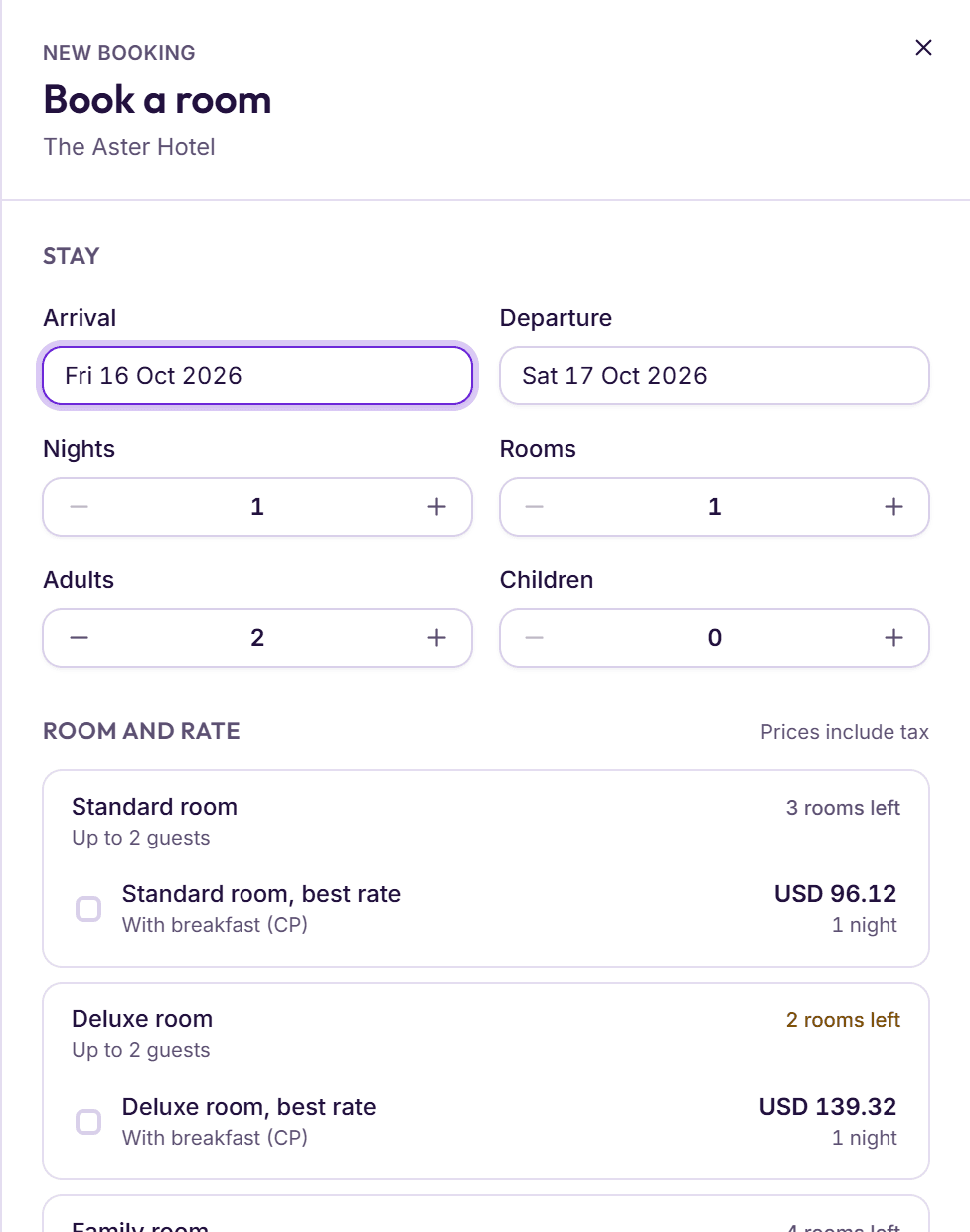
A phone call, a WhatsApp message or a walk‑in guest: press N from any screen. Each rate shows its total with tax and how many rooms are left before you choose.
- Returning guests found by name, phone or email
- An advance payment taken on the spot, with a receipt
- Bookings from your own booking page arrive by themselves
Step 2: Check the guest in
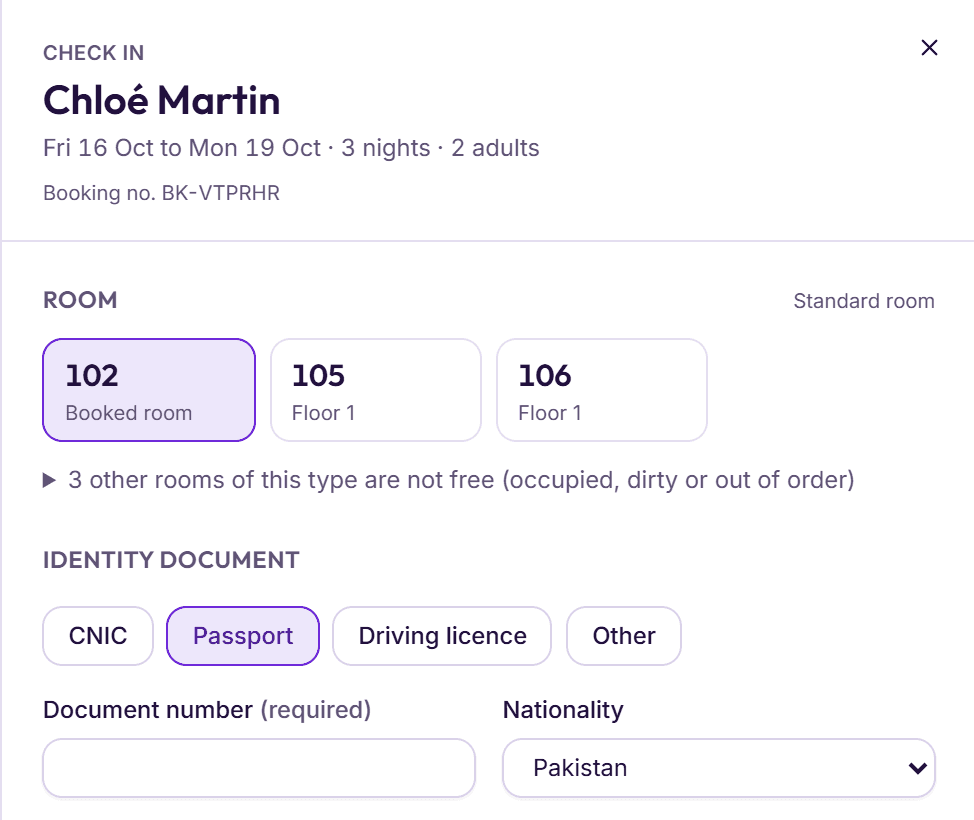
Only rooms that are ready are offered. Enter a CNIC or passport, with visa details for foreign guests, and print the registration card for them to sign.
- ID details filled in for returning guests
- An early check‑in fee is offered, never added on its own
- An advance payment comes off the folio at check‑in
Step 3: Change the stay on the room grid
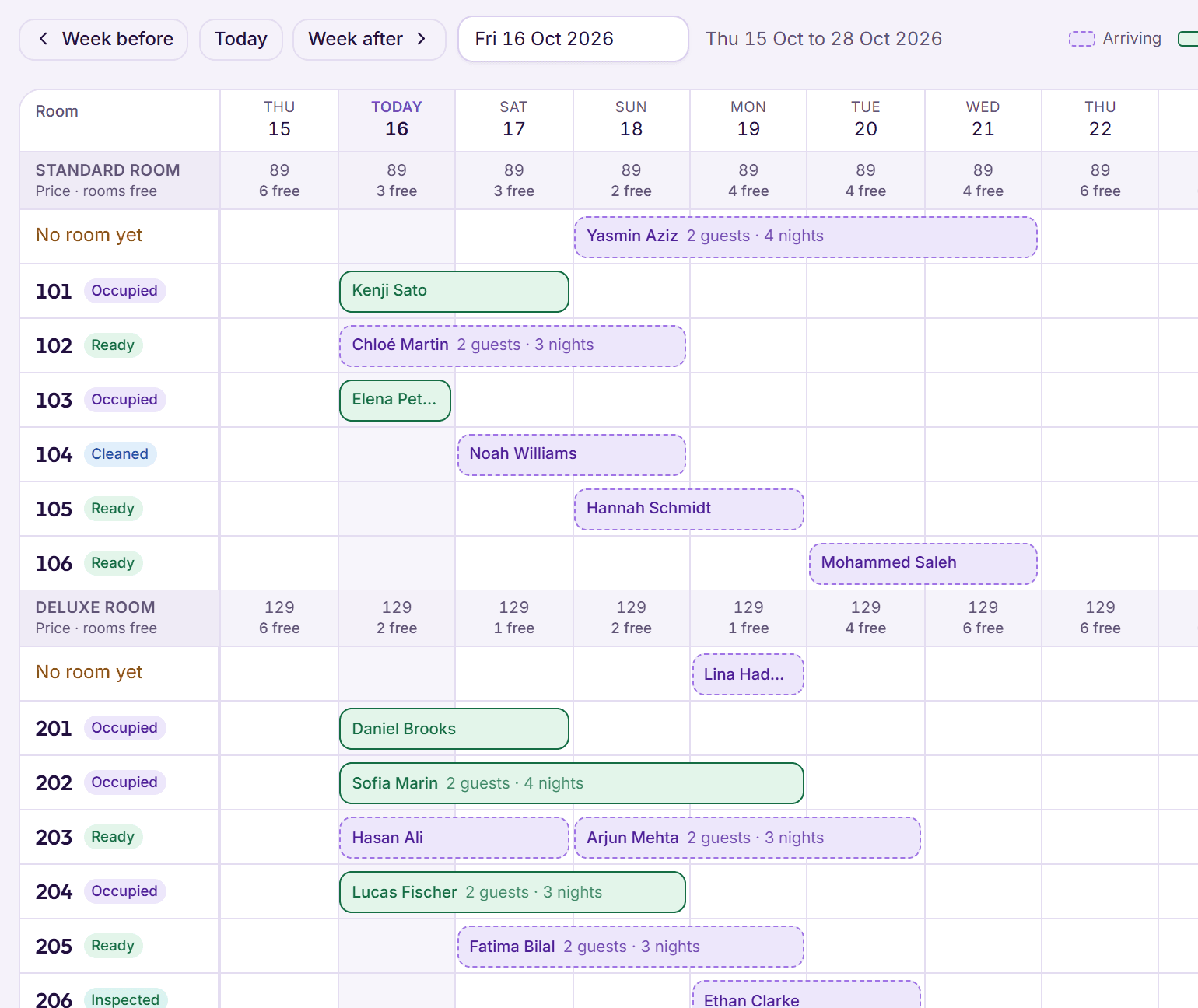
Drag a booking to new dates or another room. Nothing is saved on the drop: the new price, with tax, comes first.
- Moving to a dearer room type? Keep the guest’s price or charge the new rate
- Double bookings show up in red
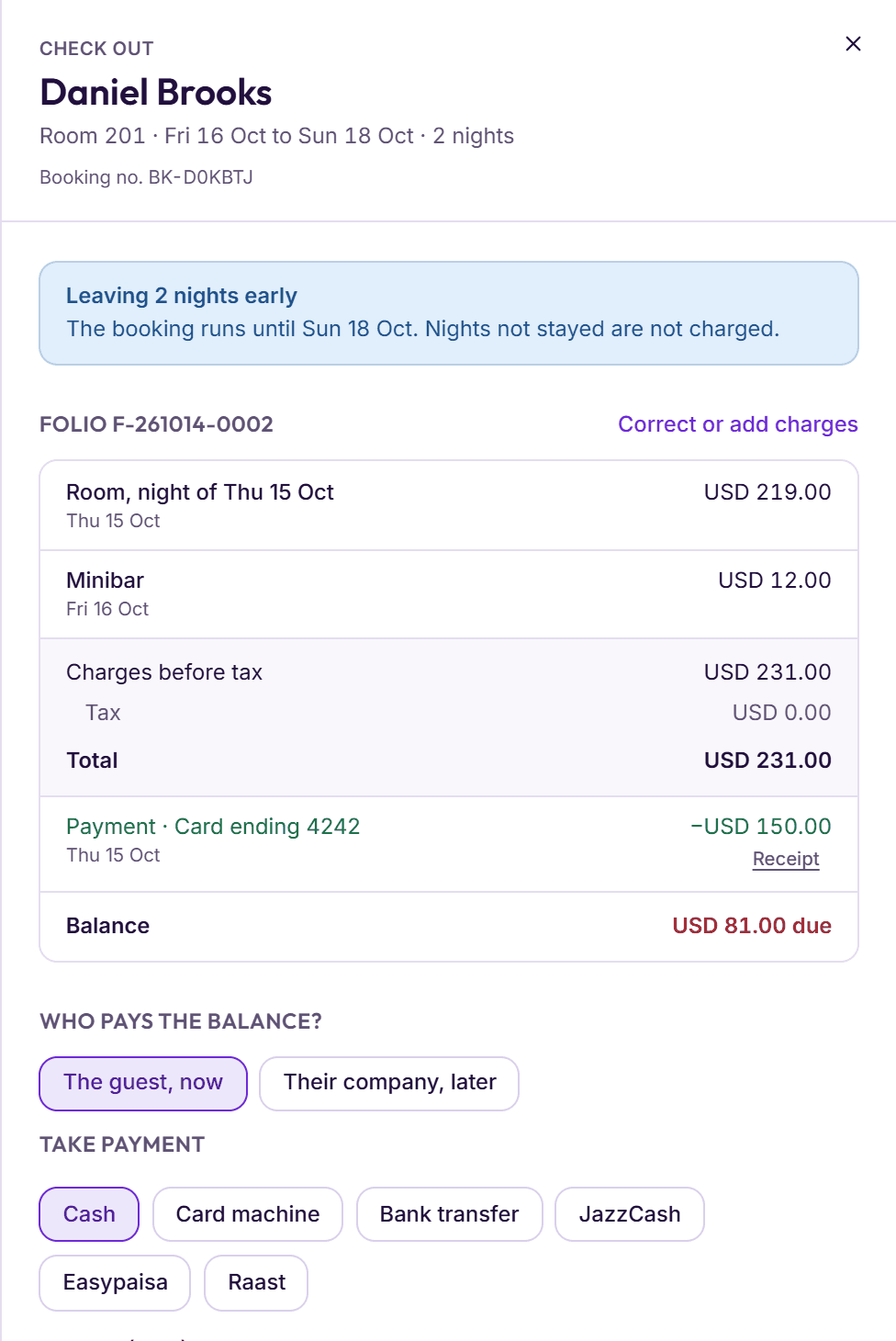
Step 4: Settle up and check out
The folio lists every charge and payment with the balance. Take cash, a card on your own machine, a bank transfer, JazzCash, Easypaisa or Raast, or send the bill to their company.
- Check‑out waits for a zero balance
- A guest in credit is paid back first
- A late check‑out fee is offered, never added on its own
Today at a glance
Arrivals, departures, guests in the hotel, occupancy tonight and rooms to clean.
Needs attention
Late arrivals, overdue check‑outs, arrivals with no room and guests leaving who still owe.
Search
Press / to find a booking by guest name, room or booking number.
Guest profiles
ID, father’s or husband’s name, notes for staff and every past stay.
Do‑not‑rent list
A blocked guest is stopped at booking, even under the same mobile number.
Prices in bulk
Change a date range or chosen weekdays by a price, a percentage or an amount, with a preview.
Suggested prices
A price for each night from how full you are, inside the limits you set.
Cancellation rules
Free until a cut‑off you choose, then a first night, a share or the whole stay.
Groups
Weddings, tours and company groups listed together, each room with its own folio.
Guest messages
Confirmation, before arrival, payment reminder and thank you, by WhatsApp or email.
Registration card
An A4 card filled in from the stay, with lines for the guest to sign.
Keyboard shortcuts
Enter confirms, Esc closes, and ? lists the rest.
Something else on your mind? See every question, or book a demo and ask us directly.
Can I check in a walk‑in guest?
Yes. Start a new booking, choose Walk‑in as how it came in, and check the guest in from the same panel.
What ID details can I record?
A CNIC, passport, driving licence or other ID, with nationality. Foreign passports add the visa type, number and expiry, and BedKeys warns you if the visa has expired.
What happens when a guest doesn’t arrive?
At the end of the day you mark the booking Did not arrive. BedKeys shows the charge from the rate’s cancellation rules first, takes it from any advance payment, and frees the room.
Can guests book on my website?
Yes. Your booking page lists your rooms with prices that include tax, and you can add a Book now button or a search box to your own website.